 Downloads Sweeper
Old screenshots and stale installers, quietly piling up. Sweeper spots them — you decide what goes.
Every export, install, and one-off Screenshot 2026-… eventually lands in ~/Downloads and never leaves. Sweeper lives in your menu bar, checks the top level of that folder, and flags anything of a tracked type that's sat unopened for 30+ days. It never deletes anything on its own — you review the exact list, then move it to the Trash in one click.
Notarized Mac download coming soon.
Scans on launch, every 30 minutes, and on demand.
Sweeper watches only the top level of ~/Downloads — subfolders are never touched. A file gets flagged only when it's both a tracked type and unopened for 30+ days. Either alone isn't enough.
Scan the top level
On launch, every 30 minutes, and on demand via Rescan Now. Subfolders untouched.
Check last opened
Spotlight's kMDItemLastUsedDate first — the same signal LaunchServices uses — falling back to modification date.
Flag the matches
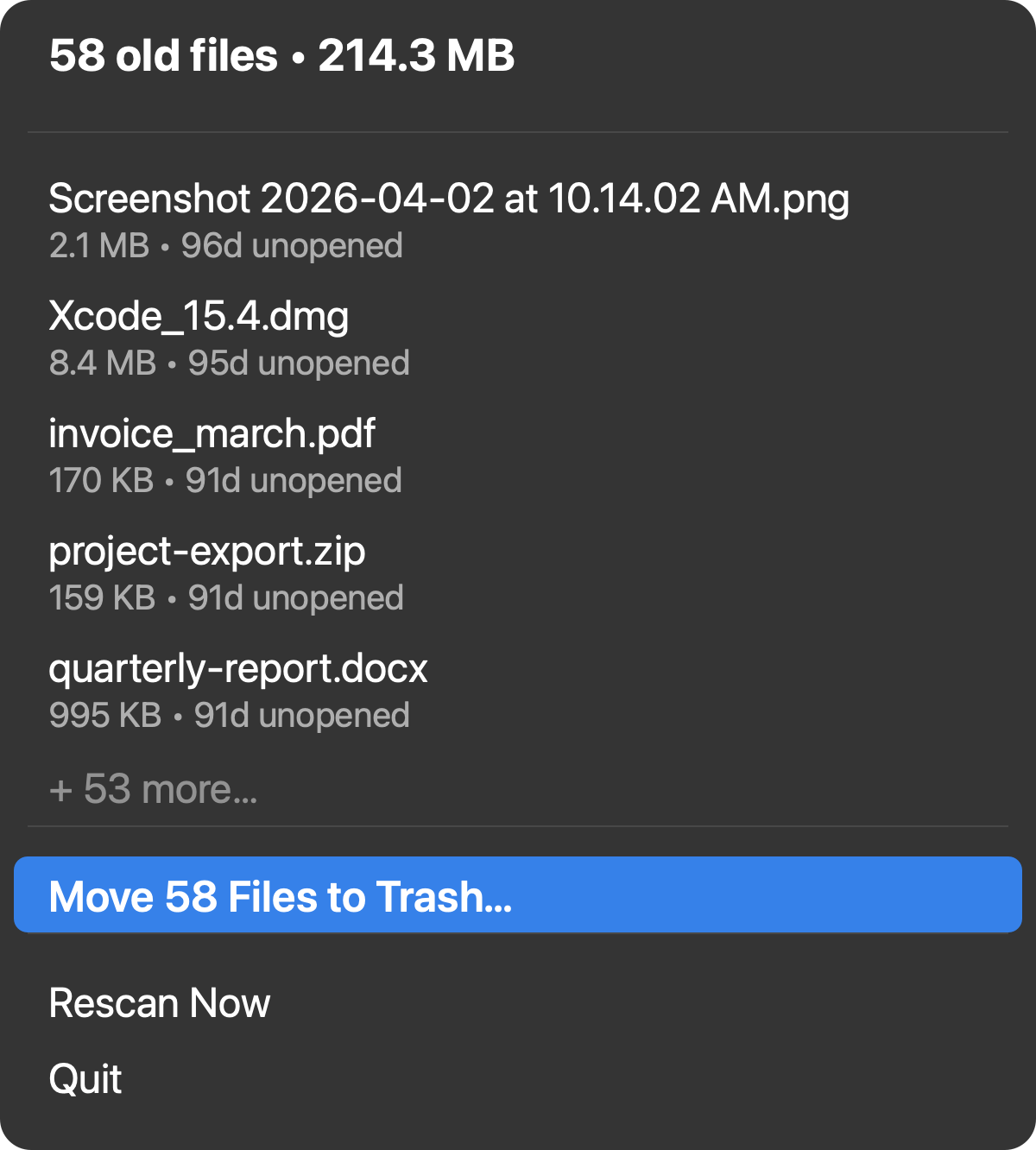
Tracked type and 30+ days unopened. Shown with name, size, and days-since-opened.
You decide
Review the list, click a file to open it, or move the rest to the Trash. Nothing moves on its own.
It never deletes anything. It moves things to the Trash.
A blunt auto-cleaner is scary — it might trash something you actually need. Sweeper's whole design is built around never being that: you always see the exact list first, and the only mutating action is a confirmed move to the Trash, which is recoverable until you empty it.
Every match is shown before anything is touched — name, size, and days since it was last opened. Click a file to open it instead, and it drops out of the list immediately, without waiting for the next scan. The only way anything reaches the Trash is clicking Move N Files to Trash… and confirming.
This is a best-effort signal, not a guarantee. Baked into the README, not just marketing copy.
Five categories. Top level only. Nothing else.
Small, predictable surface — no jargon, no hidden rules.
Screenshots
.png / .jpg / .jpeg whose filename starts with "Screenshot."
Installers
.dmg, .pkg — the disk images and packages that pile up after every app install.
Archives
.zip exports and downloads that were only ever needed once.
Documents
.pdf, .docx, .xlsx, .csv — invoices, reports, one-off exports.
Images
.png, .jpg, .jpeg — wallpapers, saved photos, one-off downloads.
Top level only
Subfolders inside Downloads are never scanned, no matter what's in them.
Small surface. No Dock icon. No surprises.
One menu bar app, nothing else running.
Menu bar only
Just a trash icon up top. No Dock icon, no windows to manage.
See before you sweep
Name, size, and days-since-opened for every match, before anything is touched.
Click to open
Opening a file from the list drops it out immediately — no waiting for the next rescan.
Rescans every 30 minutes
Or trigger one on demand with Rescan Now — always current.
Remembers what you opened
Kept out of the list for the session, even if Spotlight is slow to catch up.
Free & open source
MIT licensed. Build from source with Xcode Command Line Tools and swift build.
Give Downloads a way out.
Free, open source, and honest about what it can't do.
Notarized Mac download coming soon.
Build from source with Xcode Command Line Tools and swift build, using the instructions above — a notarized download is coming soon. setup-signing.sh keeps your Downloads folder permission grant stable across rebuilds. MIT licensed — the scan and Trash logic is all in the open.